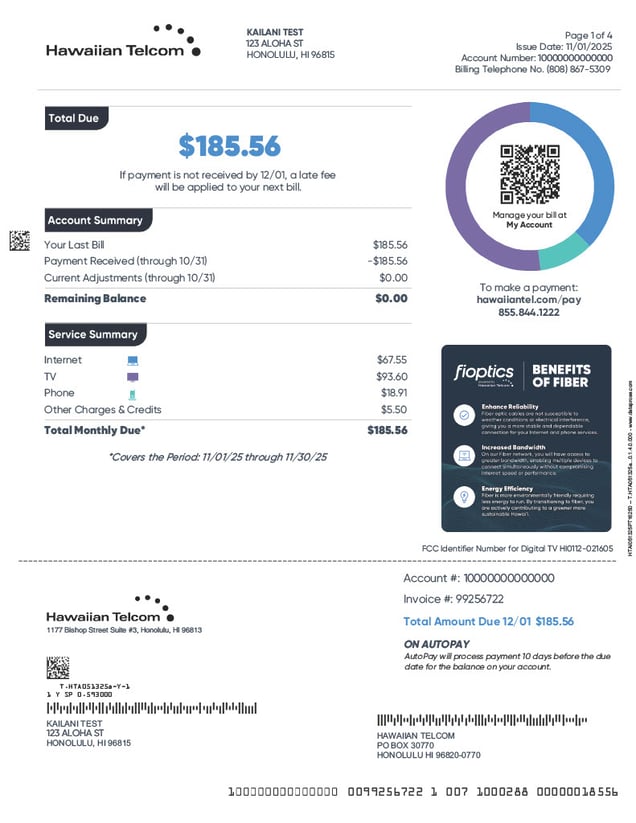
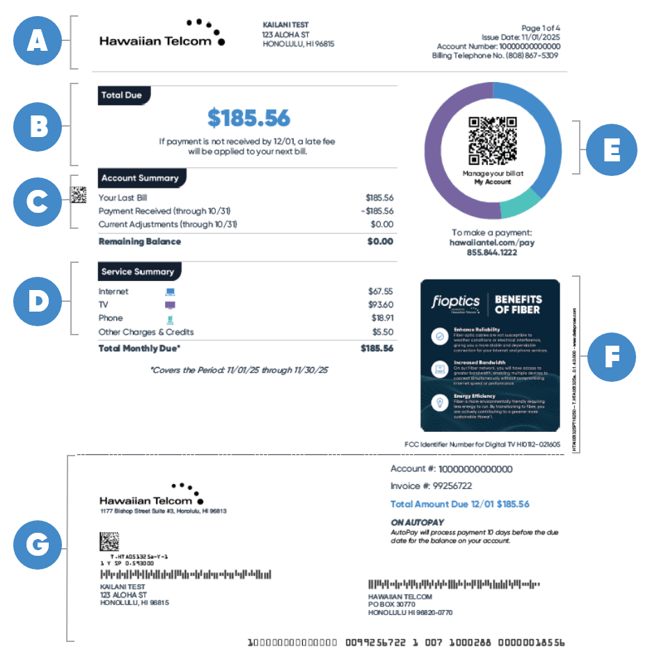
Why did the bill format change?
We redesigned the bill format to better organize information and to make it easier to read.
Is there anything that no longer appears on my bill?
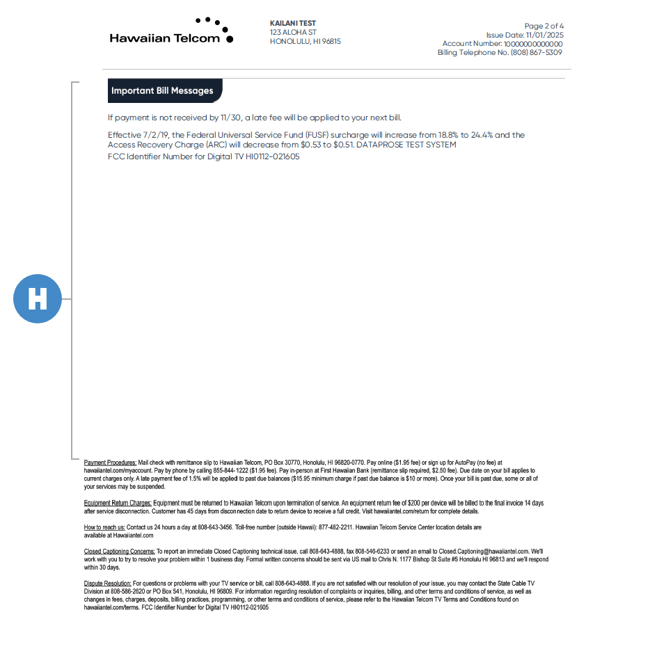
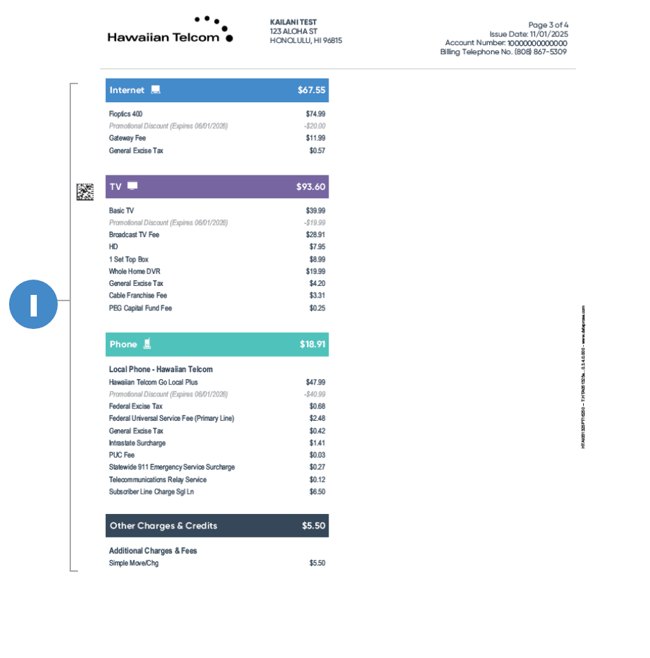
We've considered and reorganized things a bit, putting taxes/fees/service charges in their corresponding product section(s) on your bill. All bill messages are now moved to one section as well, no more hunting things down or surprises!
Is my service provider still the same?
Yes, Hawaiian Telcom is your service provider. This new bill is launching to help customers better understand their bill and what they are paying for their services.
How can I view my bill?
You can view your bill by signing into My Account. If you are enrolled in our paperless billing program, you can opt-in to receive a text alert or email when your monthly bill is available online. If you are not enrolled in paperless billing, we will mail you a paper statement each month.
Do I still make my check out to Hawaiian Telcom and where do I send it?
You can still make your checks out to Hawaiian Telcom. On the back of your remittance slip, you will find additional details on how to pay your bill via check. The address you send your check to will not be changing.
Where do I see when my promotions are expiring?
When you view your bill (online in My Account or paper bill), you will see the Month & Year all your promotions expire. When viewing your bill, all promotion amounts and expiration dates are located below the product that has a promotion. See below for an example.

Additionally, we notify you of this change the month before and during the month of your promotion expiration in the "Important Bill Messages" section of your bill.
How can I view past bills?
You can log into your My Account, then go to Billing > Billing History. From there, you will be able to view the bill and total amount due over in the past 18 months. For any bills generated prior to June 1, 2022, you will still view them in the prior bill format.
I'm a new customer, what charges will appear on my first bill?
Like other internet & TV providers, Hawaiian Telcom bills one month in advance. Based on the day you began service, you will be billed a partial month charge based on your regular monthly service rate, plus all taxes and fees. Additional charges may include any installation fees, upgrades in service, or On Demand/Pay-Per-View charges.
If I am a business customer, will this updated bill affect me?
No, at this time only the Residential bill is being updated.
Contact Us
Questions? Call or stop into a retail store for help.

My Account
Want to set-up bill ready text message notifications? Pay your bill online? Go to My Account today.

Support Center
Have any questions this page couldn't answer? Head over to our Support Center.
